⌘K
Friendly POS
📄
Friendly POS and the features
📄
Adding and Deleting services from customer payment
📄
Select Payment Method
📄
Add rewards for the customers
📄
Redeem vouchers for the customers
📄
Paid for customer was serve by many technicians
📄
Start with Friendly POS System
Redeem vouchers for the customers
Home
/
Friendly POS
/
Redeem vouchers for the customers
Last updated
06/19/2019
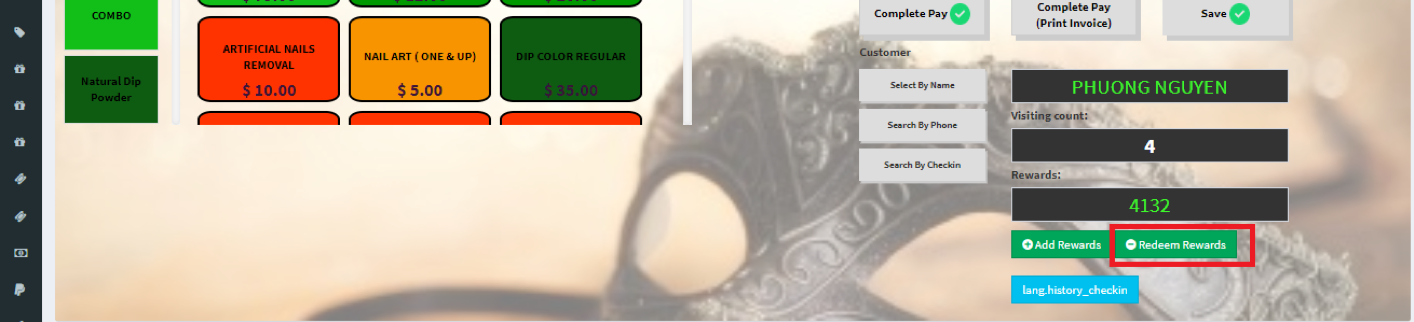
Step 1: Choose customer and go to Friendly POS select “redeem rewards”
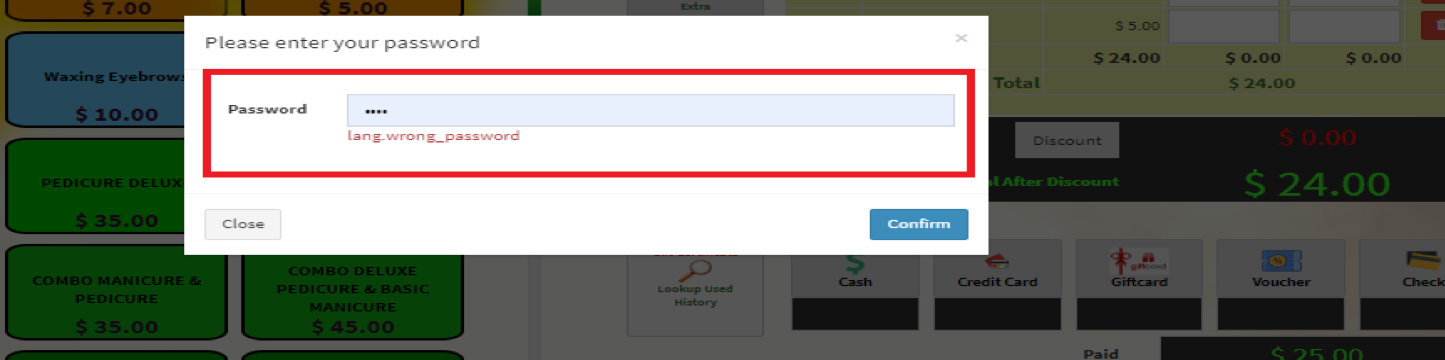
Step 2: Insert admin password
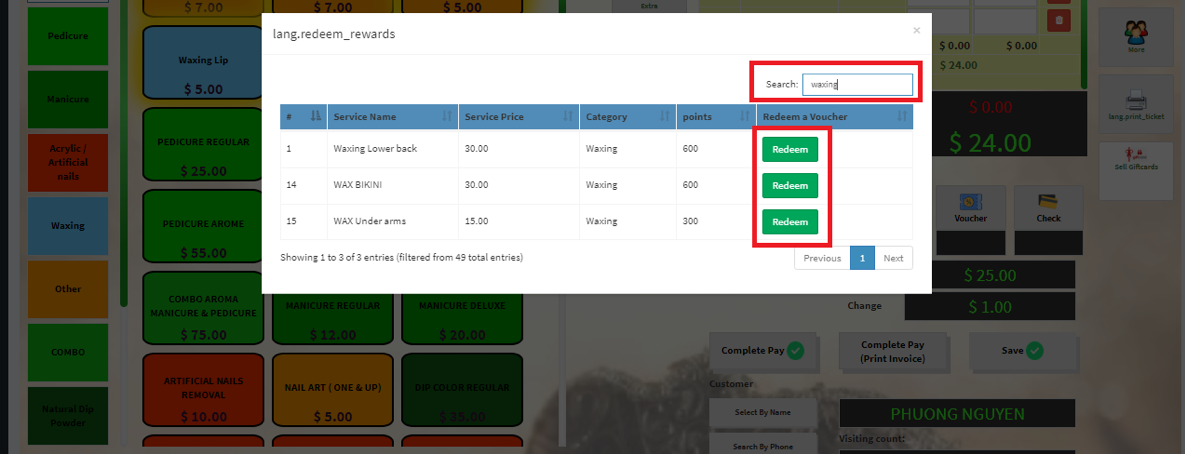
Step 3: Choose voucher that customer want and qualify for
Insert name in search bar and and select “redeem” in redeem a voucher collum
Step 4: system notify redeem success
Still stuck? How can we help?
Get Help
Was this article helpful to you?
Yes
(0)
No
(0)
←
Add rewards for the customers
Paid for customer was serve by many technicians
→
Print
Scroll